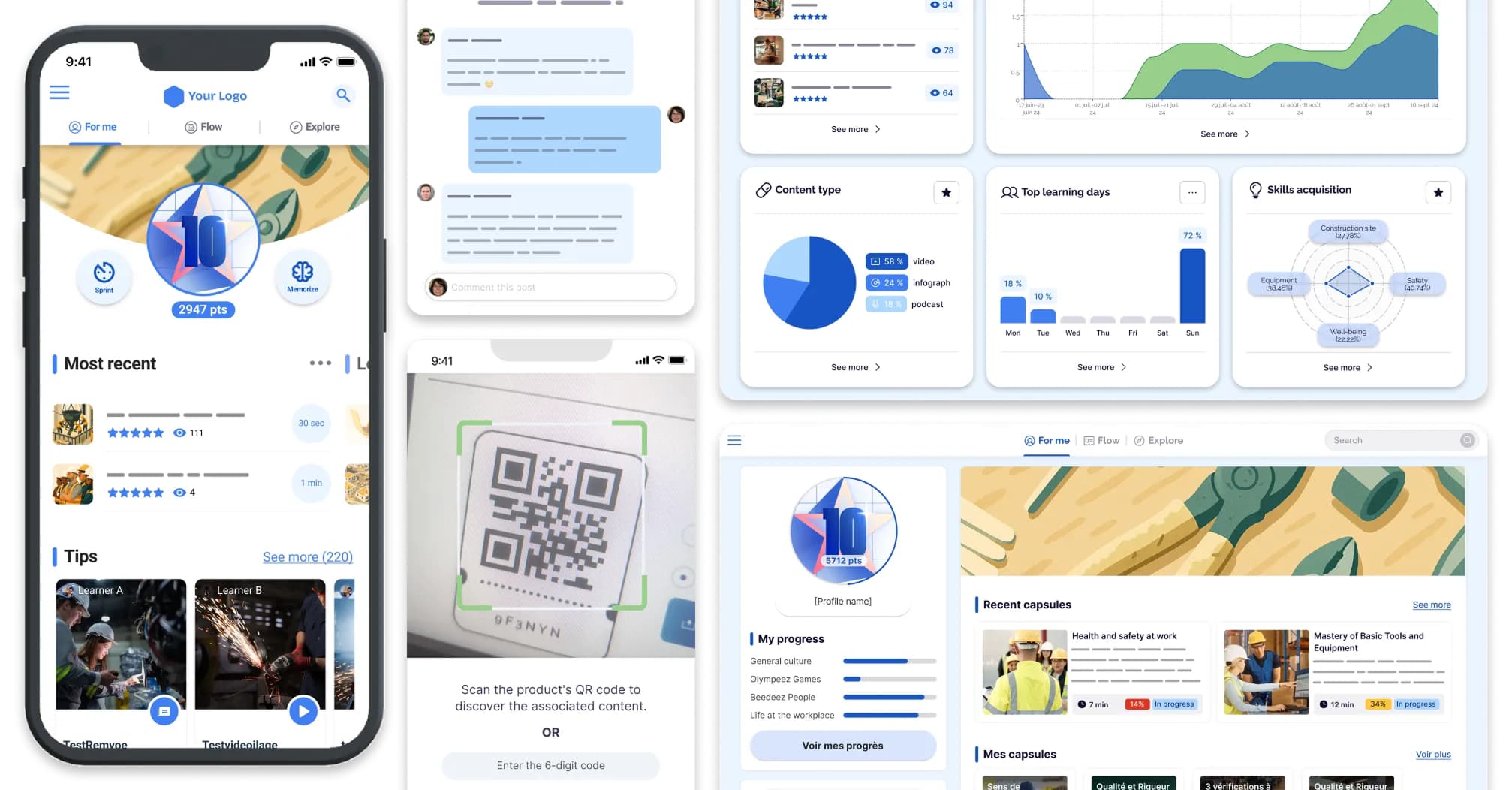
For a mid-sized company (250 to 5,000 employees), the right alternative to an enterprise LMS suite depends on why it no longer fits: too expensive for actual use, too heavy to administer, or never adopted beyond head office. If a large share of your employees has no fixed workstation, look at Beedeez first, the LMS built for frontline teams, with a standard rollout completed in 4 to 6 weeks. For demanding pedagogy, Didask; to manage the training plan and budget, Zola.
Why a mid-sized company looks for an alternative to its LMS suite
An oversized suite is an LMS designed for a group of several tens of thousands of employees, deployed in a mid-sized company that only uses part of it. The tool works. It is the gap between the tool and its use that costs money.
Three reasons come up, and they do not lead to the same tool:
- Cost against actual use. You pay for modules never opened and for enrolled users who never log in.
- Administration workload. A full-time administrator, and a dependency on an integrator for every configuration change.
- Adoption that never took hold beyond head office. Support functions train, stores, workshops and branches far less.
To be fair: these suites remain the right choice for an international group with a dedicated training team and an IT department to run them. If you are still unsure whether to switch, start with the signals that say it is time to change LMS.
Docebo alternatives for a mid-sized company: what comparison pages offer, and what they miss
"Alternatives" comparison pages almost all suggest replacing one suite with another of the same category. On the pages dedicated to Docebo or 360Learning, the same names come back: Rise Up, Cornerstone, TalentLMS, Moodle Workplace. These are serious tools, and the lists are often well made.
What they almost never ask: where your employees work, and who will administer the tool once the project is over. For a mid-sized company in manufacturing, retail, logistics or services, these are the two questions that decide.
Before comparing features, count your employees without a fixed workstation.
Which alternative for your priority: the decision table
The right LMS for a mid-sized company is chosen from the priority that made the previous tool fail. This table gives the platform to look at first, not the only one.
| Your priority | Platform to look at first |
|---|---|
| A large share of your employees has no fixed workstation (stores, plants, sites, warehouses, branches) | Beedeez |
| You want a short rollout, without an integrator | Beedeez |
| Pedagogical quality and compliance training come first | Didask |
| You mainly want to manage the training plan, the budget and reviews | Zola |
| You also train customers, partners or distributors | LearnUpon |
| You want a catalogue of ready-to-use content for managers and support functions | CrossKnowledge |
| Your subject-matter experts must turn their documents into training, with data hosted in France | Apolearn |
If two rows apply to you, keep both platforms on your shortlist: the demo will decide.
6 platforms sized for a mid-sized company, compared
Six platforms fit the size of a mid-sized company, each on a different priority. The information comes from what each vendor states on its public website (reviewed on 13 November 2026).
| Platform | Category | Stated setup time | HRIS integration and SSO | Frontline teams (mobile, offline) | Content production | Key strength | Choose it if |
|---|---|---|---|---|---|---|---|
| Beedeez | LMS built for frontline teams | 4 to 6 weeks (standard rollout) | Workday, Talentsoft, SAP SuccessFactors; SCIM, SFTP; SSO SAML, OAuth, OpenID Connect | Yes, mobile and offline, login without a work email address | Built-in authoring tool with AI-assisted creation; SCORM and H5P | Adoption beyond head office | A large share of your employees has no fixed workstation |
| Didask | All-in-one platform (LMS, authoring tool, AI coach) | Not publicly documented | Not publicly documented | Not publicly documented | Authoring tool, AI coach | Pedagogy grounded in cognitive science | Pedagogical quality comes first |
| Zola | HR talent management software | Not publicly documented | Not publicly documented | Not applicable (training management) | Not applicable | Reviews, training plan and budget | You manage the training plan, not delivery |
| LearnUpon | Multi-audience LMS, English-speaking vendor | Not publicly documented | Not publicly documented | Not publicly documented | Not publicly documented | Employees, customers and partners on one tool | You also train external audiences |
| CrossKnowledge | Skills-oriented training | Not publicly documented | Not publicly documented | Not publicly documented | Content and programme catalogue | Off-the-shelf content | You want a ready-to-use catalogue |
| Apolearn | LMS and authoring tool with AI agents | Not publicly documented | Not publicly documented | Not publicly documented | Subject-matter experts turn their documents into training | Hosting in France | Your experts produce content themselves |
1. Beedeez
Key strength: Beedeez is the LMS built for frontline teams, and most of its public customer cases are mid-sized companies. Smartphone access, offline mode, login without a work email address: it is designed for sales staff, operators and technicians without a fixed workstation. On the administration side, it covers what a mid-sized company expects: separate settings per subsidiary, business unit or region, delegated administration, HRIS sync and SSO, more than 100 ready-to-use reporting indicators.
Who it is for: mid-sized companies in manufacturing, retail, logistics or services, with a large non-desk workforce.
What to check: if your company works 100% from offices and is looking first for an off-the-shelf content catalogue, or for a tool to manage the training budget and agreements, Beedeez is not the best choice. It can, however, integrate an external catalogue such as CrossKnowledge or Edflex, with unified tracking.
2. Didask
Key strength: an all-in-one platform (LMS, authoring tool, AI coach) grounded in cognitive science, according to the vendor.
Who it is for: training teams that put pedagogical quality and compliance training first.
What to check: frontline use (mobile, offline) and HRIS connectors, not publicly documented in our review. Ask for them in the demo, on a real case from your network.
3. Zola
Key strength: all-in-one HR talent management software, covering reviews, training and skills development.
Who it is for: mid-sized companies whose problem is managing the training plan and budget, not delivering content.
What to check: Zola is a training management tool, not a delivery LMS. It works alongside an LMS. If your current suite fails on adoption, it will not replace that part.
4. LearnUpon
Key strength: a multi-audience LMS that trains employees, customers and partners on the same tool. The vendor states more than 1,700 customer organisations.
Who it is for: mid-sized companies that also train distributors, external franchisees or customers.
What to check: the vendor is English-speaking. If local French-language support matters to you, ask about support in the first demo.
5. CrossKnowledge
Key strength: skills-oriented training, with a catalogue of ready-to-use content and programmes.
Who it is for: mid-sized companies that want to train their managers and support functions without producing content themselves.
What to check: the catalogue serves support functions more than frontline job skills. The two are not mutually exclusive: Beedeez integrates the CrossKnowledge catalogue with unified tracking.
6. Apolearn
Key strength: an LMS and authoring platform with AI agents, where "your subject-matter experts turn their documents into online training", according to the vendor. Hosting in France, more than 1,000 customer organisations stated.
Who it is for: mid-sized companies whose subject-matter experts want to produce content themselves, with data hosted in France.
What to check: offline use and HRIS connectors, not publicly documented in our review.
The 7 criteria to put in a mid-sized company's requirements
The seven criteria of an LMS specification for a mid-sized company are the ones that made the previous tool fail. For each, one question to ask in the demo.
- Share of employees without a fixed workstation, and offline access. "Show me a sales associate taking a module in the stockroom, with no network."
- Time to go live. "How long between signature and opening to learners, content included, for a customer of our size?"
- HRIS sync and SSO. "With our HRIS, who builds the connector, and how long does it take?"
- Subsidiary and site management. "How does a site manager administer their teams without seeing the others?"
- In-house content production without a contractor. "Have our training manager create a module during the demo."
- Reporting by site and by entity. "Show me one branch's completion rate compared with the network average."
- Billing model and three-year total cost. "Do you bill enrolled users or active users?"
Compare the three-year cost, not the licence price
The cost of an LMS for a mid-sized company is compared over three years and on active users, not on the licence price per enrolled user. Most vendors quote on request, and the licence is rarely what makes the difference.
The items to add up:
- the licence;
- integration (SSO, HRIS sync);
- migration of content and history;
- launch support;
- internal administration, in time spent.
Enrolled users or active users. A suite billed on 3,000 enrolled users of whom a minority logs in costs more, per person trained, than its listed price. Ask each vendor what basis they count on.
At Beedeez, pricing is quoted on request, based on the number of people actually trained. For market benchmarks and the detail of each item, read what an LMS really costs.
An LMS is not too expensive because it costs a lot. It is too expensive when you pay for what you don't use.
Running a restricted tender: 3 platforms, the same scenarios
A restricted tender compares three or four vendors on the same real cases. Not on their usual demos.
Prepare three identical business scenarios for all of them:
- an onboarding path for a new employee;
- a mandatory training with a deadline;
- an employee without a work email address who needs to log in.
Then run a pilot on one frontline site and one head-office team, at the same time. If the tool only takes hold on one side, you will know before you sign. For the full method, see how to build a shortlist for an LMS tender, and, if you are weighing it against your HRIS module, the comparison dedicated LMS or HRIS training module.
What mid-sized companies using Beedeez do
Mid-sized companies in distribution and construction use Beedeez to train teams without a fixed workstation.
The BigMat network (building materials distribution, 320 outlets) had a first platform with very little adoption. With a monthly release of new modules on smartphone, active learners went from 10 to 200 per month, with 85% completion and 700 modules available (source: the BigMat network). "In a building materials branch, there isn't always a computer you can use to train. But we all have a phone in our pocket," says Marie Helin, HR Development Manager at BigMat France.
At Asturienne (Saint-Gobain group, 600 employees across 63 branches), learning paths adapt to each region's standards. The programme shows 89% completion and 2,500 modules completed (Asturienne customer case).
Frequently asked questions
What are the best alternatives to an enterprise LMS suite for a mid-sized company?
It depends on why the suite no longer fits. If a large share of your employees has no fixed workstation, look at Beedeez first, the LMS built for frontline teams. For demanding pedagogy, Didask; to manage the training plan and budget, Zola.
Which LMS should a company with 250 to 5,000 employees choose?
An LMS sized for a mid-sized company goes live quickly and is administered without an integrator. Beedeez, the LMS built for frontline teams, states a standard rollout completed in 4 to 6 weeks, connects to Workday, Talentsoft or SAP SuccessFactors, and handles SSO.
How can you tell whether an LMS is oversized for a mid-sized company?
Three signs: modules paid for and never used, a full-time administrator, and adoption that stops at head office. For measurable thresholds, see the signals that say it is time to change LMS.
How long does it take to change LMS in a mid-sized company?
The timeline depends mainly on the content to produce and the integrations. At Beedeez, a standard rollout is completed in 4 to 6 weeks, with assisted migration from your current system and a dedicated Customer Success Manager.
Does a mid-sized company need an LMS or training management software?
The two meet different needs, and a mid-sized company often combines both. The LMS delivers training and tracks learners; training management software handles the plan, the budget and reviews.
Which LMS for a mid-sized company whose employees work in the field?
An LMS available on smartphone, offline and without a work email address. That is Beedeez's focus, the LMS built for frontline teams: at BigMat, active learners went from 10 to 200 per month. To go further, see when your LMS suits head office but not frontline teams and our top LMS for businesses.
Your move: count your employees without a fixed workstation, then book a Beedeez demo on your own scenarios.