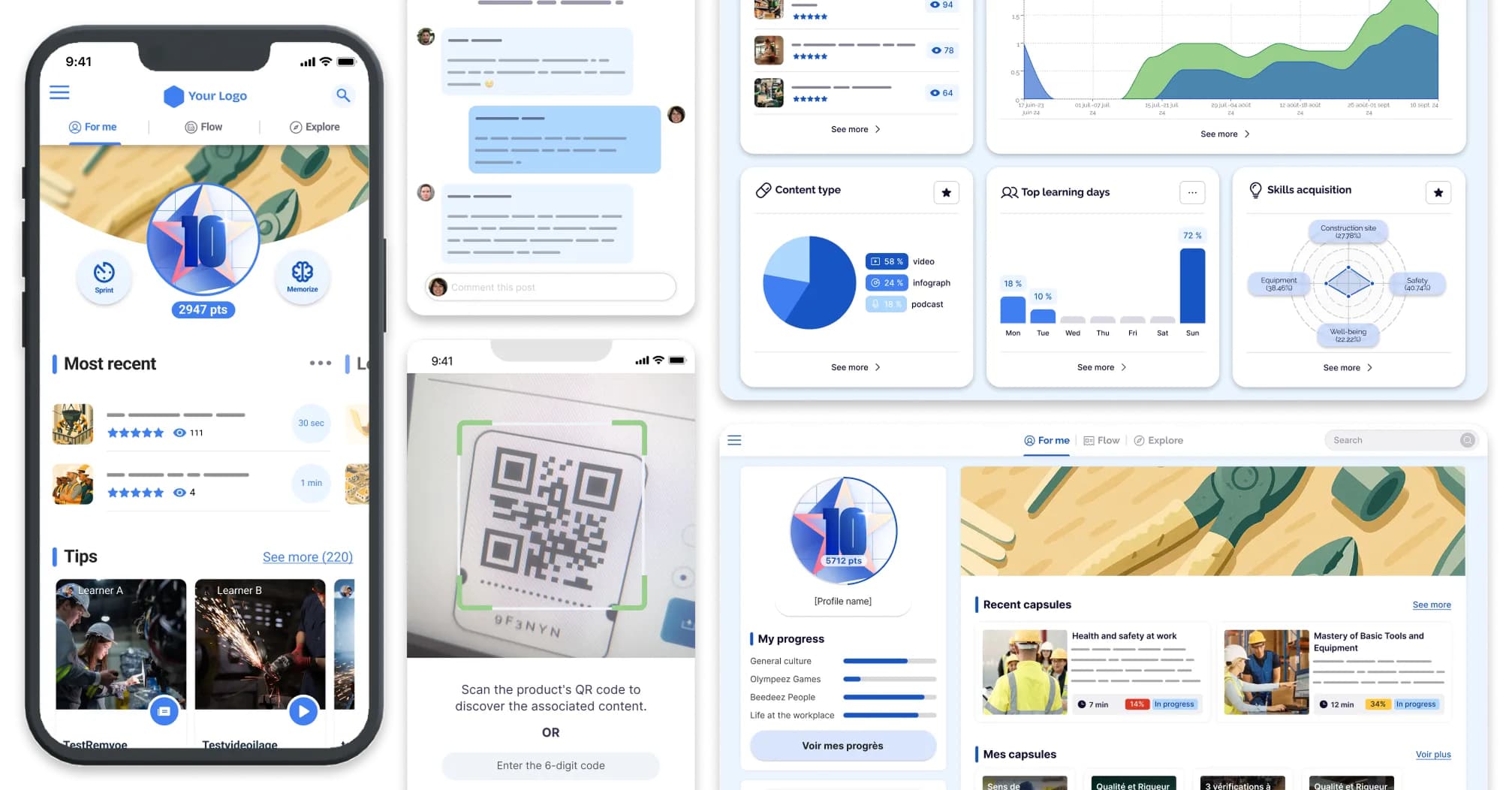
An LMS dashboard shows percentages. The real question comes later: on the day of an inspection, or when the board asks for proof that mandatory training was actually completed. Tracking and evaluating training performance is not about displaying a completion rate. It is about knowing what the platform can prove, and what it cannot.
What an LMS produces as data, and what it does not
An LMS measures what learners do on the platform; on its own, it does not measure what they then do on the job. That is the boundary to set before any conversation about reporting.
An LMS produces two families of data. Activity first: logins, time spent, progress through a pathway. Attainment next: assessment scores, passes and fails, certifications and authorisations issued. Everything else, the transfer of learning into day-to-day practice and the effect on performance, requires those figures to be combined with indicators from your HR system or from operations. That is a separate exercise, covered in our article on making use of your platform analytics, while the level-by-level framework sits in our method for deciding which indicators to track at each level.
- Logins and frequency
- Time spent on sequences
- Progress through a pathway
- Assessment scores
- Pass or fail
- Certifications and authorisations issued
Why does the distinction matter? Because most platforms are sold on the promise of complete reporting, without ever saying which of the two families is genuinely covered. A vendor walking you through a completion dashboard has told you nothing about its ability to trace a mandatory authorisation. These are two different jobs, and confusing them is what becomes expensive on audit day.
The six tracking capabilities to check before choosing your LMS
Beyond the word « reporting », six capabilities decide what you will be able to read, and above all to prove. For each one: what it delivers, what hides behind the sales promise, and the test to run in a demo.
Reporting granularity: by person, by team, by site, by job role
A report per learner is useless when you are running three hundred outlets. What you need is a cross-cutting view: by individual for HR records, by team for line managers, by site for network steering, by job role for sector compliance. The demo test : ask to filter a report by site in three clicks, with no intermediate export.
Assessments: quizzes, practical scenarios, manager sign-off
Behind the phrase « built-in assessment », some platforms only offer a multiple-choice quiz at the end of a module. Others allow a practical scenario, or an on-site sign-off where a manager confirms the task was actually performed. The demo test : ask to see a scenario where validation goes through a person, not just an automatic score.
Traceability of mandatory training: dates, renewal deadlines, evidence
This is where compliance is won or lost, from quality accreditation to health and safety. Knowing that a course was « viewed » is not enough: you need a date, a renewal deadline and an exportable document that stands up in front of an inspector. The demo test : ask for a full training history export for one employee, exactly as it would be handed over in an audit.
Tracking what happens offline
This is the question that really separates two platforms. Someone in a warehouse, with no reliable signal, completes a sequence offline: what happens when they reconnect? Platforms designed for a desk rarely have an answer. The demo test : complete a sequence in flight mode, then ask to see the exact sync timestamp in the report.
Exports and distribution: scheduled reports, access for frontline managers
A shop-floor manager will not log into a back office once a month. They need a simple report, sent automatically, or mobile access filtered to their own team. The demo test : ask to see the exact screen a frontline manager would get on their phone, not the administrator view.
Retention and exit: history after someone leaves, data portability
What happens to the training history of an employee who leaves? And if you leave the platform in three years, in what format do you get your data back? The demo test : ask for the retention policy after a departure and the export format on termination.
| Capability | What the platform gives you out of the box | What has to be configured | The demo test | Who it matters most to |
|---|---|---|---|---|
| Reporting granularity | Report per learner | Multi-site structure, permissions by level | Filter a report by site in three clicks | Multi-site networks, franchises |
| Assessments | Automatic quizzes | Manager sign-off, practical scenarios | See a scenario with human validation | Job-specific skills and craft |
| Traceability of obligations | Viewed or not viewed status | Renewal deadlines, audit-ready export | Generate an exportable history | Accreditation, health and safety |
| Offline tracking | Content download | Real timestamp on synchronisation | Test in flight mode, check the timestamp | Deskless teams, low-signal areas |
| Exports and distribution | Raw file export | Scheduled reports, mobile manager view | See a frontline manager's own screen | Local line management |
| Retention and exit | History held online | Retention policy, export on termination | Ask what happens after a departure | HR, IT, compliance |
What tracking changes for frontline teams
On the front line, the figure that counts is not time spent on the platform, it is proof that the person validated what they were required to validate. No work email address, no fixed desk, training taken between two tasks and often offline: the site-level view matters more than the individual view, and evidence matters more than attendance.
At Amorino, a Beedeez customer running 250 franchised stores across 20 countries, steering reaches down to the individual store: network leads and field coaches follow progress in real time, store by store, and spot the ones falling behind. Adoption reaches 57% of the network, with more than 50,000 sequences completed and a 90% completion rate. The brand's own conclusion: the stores that train the most are also the ones that perform best.
At BigMat, a builders' merchant network of 320 outlets, the platform was already in place and still barely used: 10 active learners a month across 3,000 employees. What changed was not the tool but the way it was run, with tracking that fits the rhythm of the shop floor and nothing made compulsory. The result: 200 active learners a month and an 85% completion rate. In both cases the shift came not from a prettier dashboard, but from data read at the level where the work actually happens.
Beedeez, an LMS built for frontline teams, was designed for exactly this: real-time training tracking that reaches the team and the outlet, with completion evidence synchronised the moment people reconnect. The same logic applies on a production site, where proof of authorisation outweighs everything else: we set it out in our comparison of LMS platforms for manufacturing.
The six questions to ask in a demo before you sign
The six capabilities, turned into direct questions you can put to your next vendor as they are.
- Can you show me a report filtered by site, live, with no intermediate export? A good answer : the interface does it in front of you, in seconds.
- How do you record an assessment that requires manager sign-off, rather than just an automatic quiz? A good answer : a concrete example of an on-site validation workflow.
- Show me an exportable history of mandatory training, ready for an inspection. A good answer : a real document, not a mock-up.
- What happens when a sequence is completed offline and synchronised three days later? A good answer : a precise synchronisation timestamp, not an approximation.
- What exactly does a frontline manager see on their phone, without administrator access? A good answer : a simple screen, not a disguised back office.
- What happens to a training history if someone leaves, or if we leave your platform? A good answer : a written policy, not « we will sort that out later ».
Ask to see a real report, not a mock-up of a dashboard.
It is often in the detail of a hesitant answer that you find out what a platform can really do.
From dashboard to evidence
A completion rate measures attendance, not competence.
A good LMS does not hide that limit, it works around it: reporting granularity that reaches site level, traceability that holds up in an inspection, and tracking that gives nothing up when the signal drops. What remains is to check, question by question, whether the platform in front of you actually does what it promises. As a next step, once tracking is reliable, our guide to calculating the return on investment of an LMS shows how to turn that data into proof of impact, and our overview of the performance indicators worth tracking helps decide which ones to look at first. To see what tracking designed for frontline teams looks like, book a demo on your own use cases.
Frequently asked questions
What can an LMS prove, and what can it not prove?
An LMS proves activity (logins, time, progress) and attainment (assessment scores, passes, certifications issued). On its own it does not prove that behaviour changed on the job, or that team performance moved: those two levels require operational indicators alongside. Beedeez, the LMS built for frontline teams, covers the first two with a view by site and by team.
Is a completion rate acceptable as evidence in an inspection?
No. A completion rate measures attendance, not competence, and it is not regulatory evidence. What stands up is a dated record per person, with the renewal deadline and an export that can be handed over in an audit.
How do you track training completed offline?
The platform downloads content locally, then timestamps the synchronisation as soon as the connection returns. That moment is what must appear in the report. Beedeez works offline natively: progress made without a signal is uploaded automatically on reconnection, even after several days.
How do you prove that mandatory training has actually been completed?
You need a dated, named and exportable record, with renewal deadlines: quality accreditation, health and safety, job authorisations. A « viewed » flag is not enough. Full traceability is what constitutes the evidence, along with how long it is kept after someone leaves.
Can training be tracked by site or by outlet?
Yes, provided the platform supports it natively, with no manual rework. Beedeez, the LMS built for frontline teams, structures tracking by site, by team and by job role: that is what allows a network such as Amorino to monitor 250 stores and spot the ones falling behind.